SiteApex is a website content management system developed by OSM Networks. We developed SiteApex to meet a growing need for businesses and organizations of all sizes who need an up-to-date website. SiteApex gives you the tools every business or organization should have to be successful online.
Over the past year, the SiteApex Development Team has been working hard on improvements that will make updating your website even easier.
We are excited to launch our newest updates in
SiteApex 6! Our Calendar Module, News Manager,
News Letters, Admin Area etc. is now updated with a variety of new features! We have even added a new feedback system so you can tell us what YOU want to see! At OSM Networks
we are committed to providing the updates that will benefit you most.
To view more details on these updates click here .
Take the tour:
Site Apex Standard Features
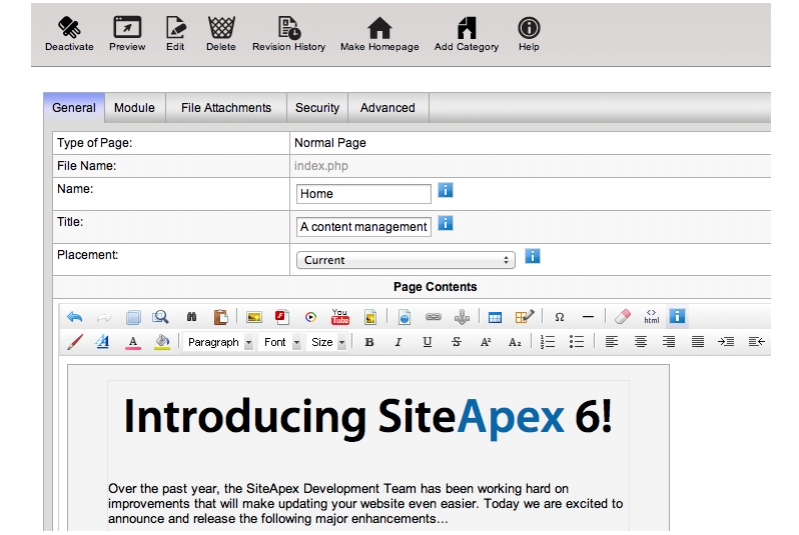
Editor
startofanchor/brendofanchor
startofanchorpendofanchorstartofanchorstrongendofanchorEditing pages is similar to using a word processor. Features: startofanchor/strongendofanchorstartofanchor/pendofanchor
startofanchorpendofanchor- Add/ edit sections and categories.
startofanchorbrendofanchor
- Add/ edit and deactivate pages.
startofanchorbrendofanchor
- Change the order of the sections and categories.
startofanchorbrendofanchor
- Preview before publishing.
startofanchorbrendofanchor
- Add images, PDF files and multimedia.
startofanchorbrendofanchor
- Set the viewing & editing permissions. startofanchor/pendofanchor
Photo Album
startofanchortable width=" 100%" cellspacing="5" cellpadding="5"endofanchor
startofanchortrendofanchor
startofanchortd colspan="2" scope="col"endofanchorstartofanchorstrongendofanchorPhoto Albums Showcase your products, events and community. Features:startofanchor/strongendofanchorstartofanchor/tdendofanchor
startofanchor/trendofanchor
startofanchortrendofanchor
startofanchortd scope="row"endofanchor- Add multiple photo galleriesstartofanchorbrendofanchor
- Displays a thumbnail, enlarged view and slideshowstartofanchorbrendofanchor
- Add titles & descriptionsstartofanchorbrendofanchor
- Keyword search startofanchorbrendofanchor
- Upload multiple photos using a point-and-click formstartofanchorbrendofanchor
- Thumbnail view is automatically createdstartofanchor/tdendofanchor
startofanchortd style="vertical-align:top;"endofanchorstartofanchorpendofanchorOption: startofanchor/pendofanchor
startofanchorpendofanchor- Upload a custom photo background startofanchorbrendofanchor
- Select from traditional or alternative viewstartofanchor/pendofanchorstartofanchor/tdendofanchor
startofanchor/trendofanchor
startofanchor/tableendofanchor
Calendar
startofanchor/brendofanchor
startofanchorstrongendofanchorWith our updated Calendar, you receive a variety of new, beneficial features:
startofanchor/pendofanchor
startofanchor/strongendofanchor
startofanchorpendofanchor- New event categories with colour codesstartofanchorbrendofanchor
- New fancybox modal view for coming events plug-instartofanchorbrendofanchor
- List Calendar Events upgraded to simplify activating/deactivating eventsstartofanchorbrendofanchor
- Updated weekly based calendar layouts to use correct yearstartofanchorbrendofanchor
- Updated registration events to include the event name properly in notification emailsstartofanchorbrendofanchor
startofanchor/pendofanchor
startofanchor/brendofanchor
Blog
startofanchor/brendofanchorstartofanchorpendofanchor
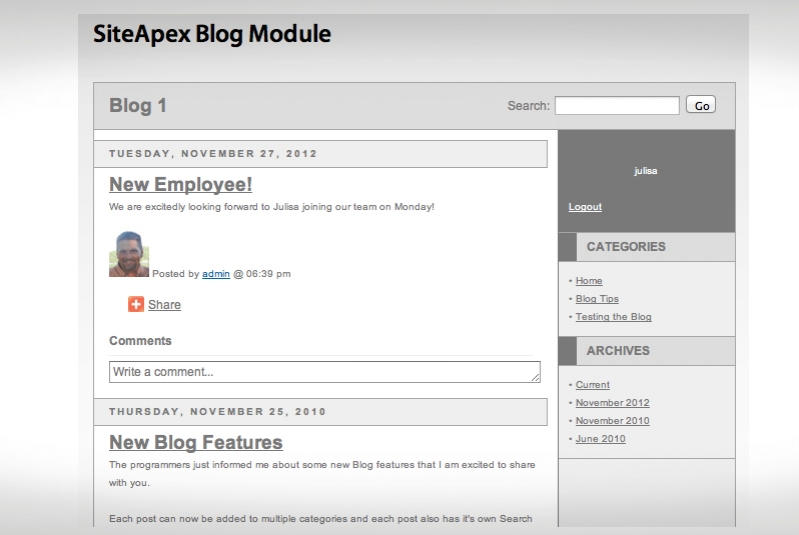
Blog is a web-log, an informal way to communicate with your customers. startofanchor/pendofanchor
startofanchorpendofanchorA Blog can be useful for journal-type updates, expressing viewpoints ... startofanchor/pendofanchor
startofanchorpendofanchorBTW, Blogs are good for generating search engine traffic.startofanchor/pendofanchor
Newsletter Module
startofanchor/brendofanchor
startofanchorstrongendofanchorPersonalize enewsletters, send to any user group on your site, manage email lists, and track results. Features: startofanchor/strongendofanchorstartofanchor/pendofanchor
startofanchorpendofanchor- Newsletters can be sent to any user group(s) startofanchorbrendofanchor
- Easy editing: insert images & links, preview & edit before sending startofanchorbrendofanchor
- Personalize with FirstName, LastName, Address, Email, Phone, Fax, User Name, Password startofanchorbrendofanchor
- Allows users to remove themselves from mailing list startofanchorbrendofanchor
- View history (enewsletter list, date/time sent, user group, received, click-thrus)startofanchor/pendofanchor
Modules
startofanchor/brendofanchor
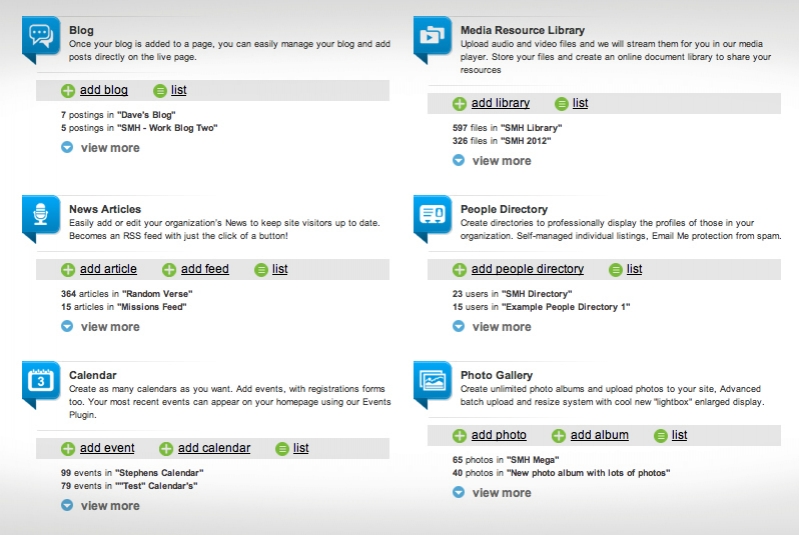
The Module Landing Page...
New improved design to make integrate brand controlled styling.
Clickable quicklinks to modules, details on recent usage and system prompting to encourage admin to update site.
startofanchor/brendofanchor